Using words like ‘however’ within a sentence sometimes seems clunky and can make sentences hard to read. This is a clear explanation of using a semicolon to solve this problem.
Punctuation Topics
-
Recent Posts
Site User Tools
Using words like ‘however’ within a sentence sometimes seems clunky and can make sentences hard to read. This is a clear explanation of using a semicolon to solve this problem.
After writing about the n-dash and m-dash, I was surprised to find these are some of the most popular posts in my blog. There are a lot of people searching about the n-dash on Google!
I’ve just realised I left something out: How to use the n-dash or m-dash on a web page or on a blog.
It is pretty easy…
HTML editing is the best place to get the details right with formatting and punctuation. If you paste from Word into a web page or blog, often you’ll get lots of unwanted formatting. But that’s another topic – let’s stick to the dashes.
If you are using Dreamweaver, it will auto-fill these very quickly when you start typing them.
In most blog or web content systems, you’ll need to use the built-in html editor to manually enter the n-dash or m-dash after you’ve entered your new content. If you need to correct more than one, just copy it (eg. –) and then paste it as needed.
- hyphen
– n-dash (or en-dash)
— m-dash (or em-dash)
For more details about using this punctuation in your writing, see this post about how to use the hyphen, n-dash and m-dash.
After writing about how the n-dash and m-dash are used, I thought I should add something about how to insert them quickly in Microsoft Word.
Word can create the n-dash and m-dash automatically (see my last post). But if you miss an n-dash – or if you want to add one when editing text – it becomes quite clumsy.
Create easy typing shortcuts for the characters. Word has default shortcut key combinations for special characters, but I find them inconvenient – this method assigns new shortcuts that are easy to type (and easy to remember).
How-to:
(These instructions are for Word 2007, but it is very similar in older versions of Word and for Word 2010.)
Repeat the steps for the n-dash (and any other special characters you tend to use).
Now it is easy to enter the punctuation you want without any extra typing!
In lots of writing, the use of dashes is very inconsistent – regardless of how ‘professional’ the writers are.
The hyphen, dash, n-dash and m-dash crop-up all the time in Microsoft Word but most of us don’t know why, and we use them inconsistently. I had to figure this out.
- hyphen
– n-dash (or en-dash)
— m-dash (or em-dash)
automatically created in Word when you type “something – something” (word-space-hyphen-space-word).
automatically created in Word when you type “something–something” (word-hyphen-hyphen-word).
For more details, see my post about inserting the n-dash or m-dash in Microsoft Word.
“Sometimes writing for money—rather than for art or pleasure—is really quite enjoyable.”
“I can’t believe how pedantic Ken is about writing—I mean, doesn’t he have anything better to do?”
“Hunter strode into the room—was he mad?—and the family stopped and stared.”
“Computers make everyday punctuation—for reasons that we’ll discuss later—more precise yet more confusing.”
“I reached in and pulled the spray can out of my pants—”
“In front of the police?”
Lots of people prefer the way the ‘space-en-dash-space’ looks on a page, and it is used in lots of magazines and papers as a replacement for the proper use of the em-dash.
Sometimes when you submit writing that uses the em-dash people say, “What is that? I don’t like that big long dash thing.”
It is no big deal.
I generally use ‘space-en-dash-space’ instead of the em-dash – just to keep everyone happy.
Why don’t educated English-speaking people use dashes correctly? Did we all skip the same grade-5 English class?
No. Computers have changed the way we use punctuation.
These dashes go back to an earlier era of printing. The n-dash is named for its width in typesetting (when people used little metal blocks that imprinted each character): The en-dash was as wide as an upper-case N. The m-dash was as wide as an M.
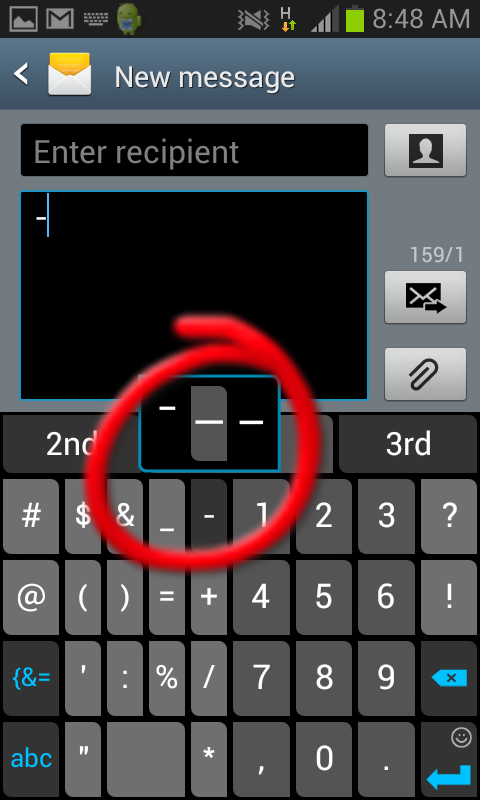
Later, in the days of the typewriter, there was only the hyphen; this is still the only sort of dash on a normal keyboard (just to the left of that ‘backspace’ key). Using a typewriter, you had to use two dashes for the m-dash and ‘space-hyphen-space’ as a rough replacement for the n-dash.
BUT in books, magazines and other ‘proper’ printing, typesetters have always used the ‘proper’ dashes.
Computers brought this level of precision and flexibility to everyone. Now we can all use dashes and other ‘non-basic’ punctuation with similar detail as a professional printing typesetter, and programs like Word make this possible without anyone even thinking about it very much at all. (Professional designers think Word is awful, but it works fine for most people.)
For info about using this punctuation online, see my post about using the n-dash or m-dash in a web page or blog.
This seems to be a common problem:
When you write a web address at the end of a sentence, should you follow it with punctuation, or use no punctuation (to help avoid breaking the web link)?
For example, should I write…
Who likes www.chow.com?
or just
Who likes www.chow.com
??
In years past this was a real problem, but these days you can stop worrying about it.
Using Microsoft Word, Gmail, Outlook, etc., punctuation will not cause a problem — the software has caught up and it will create an accurate link for you, in spite of any punctuation that follows it.